
Android POS Simulator
A ByteZero terminal running a real Android 14 on your computer. Install your APK, use test cards and watch the transaction happen, no physical POS needed.
Build and test before the terminal is in your hands
The simulator runs the same software as the B1 family terminals. Your app sees the card reader, printer and palm reader just as it would on the device.
Install any APK
Drag the file onto the terminal screen and the app installs right away.
Tap, insert or swipe
Use test cards in any read mode, on any of the models.
Card wallet
Comes with a Visa and a Mastercard credit card, PIN 1234. Create more cards under "New card".
Palm payments
On the B1V, the wallet also stores test palms for the biometric reader.
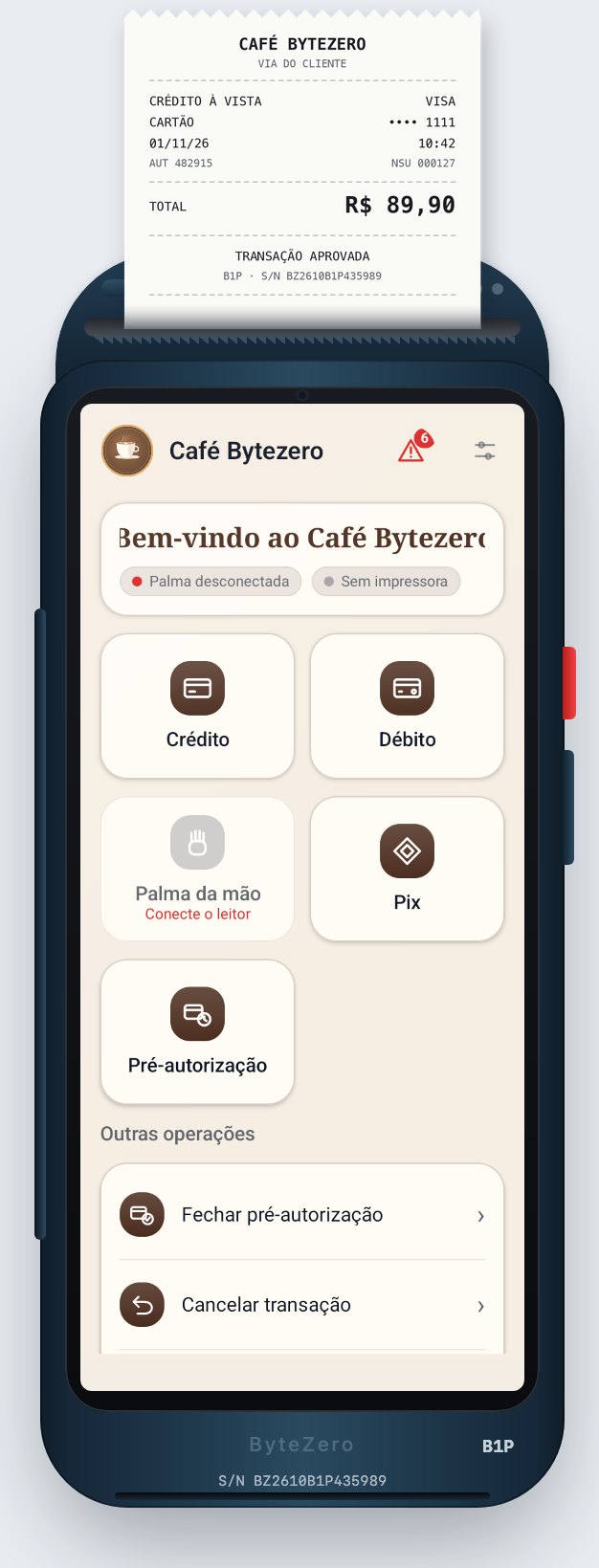
Three terminals, the same software
Pick in the simulator the model you will use in production. All three share the card wallet.
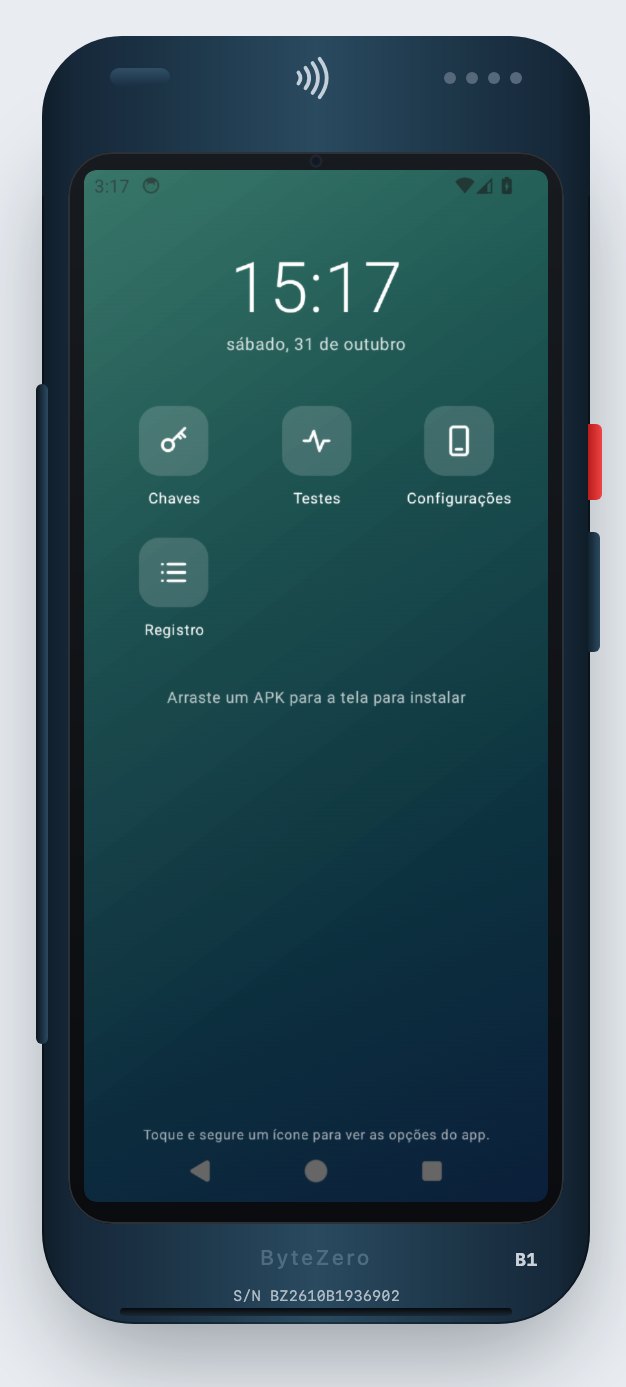
B1
No printer and more compact. The receipt is shown on screen.
B1P
With printer: the top cover has the paper outlet and the receipt is printed.
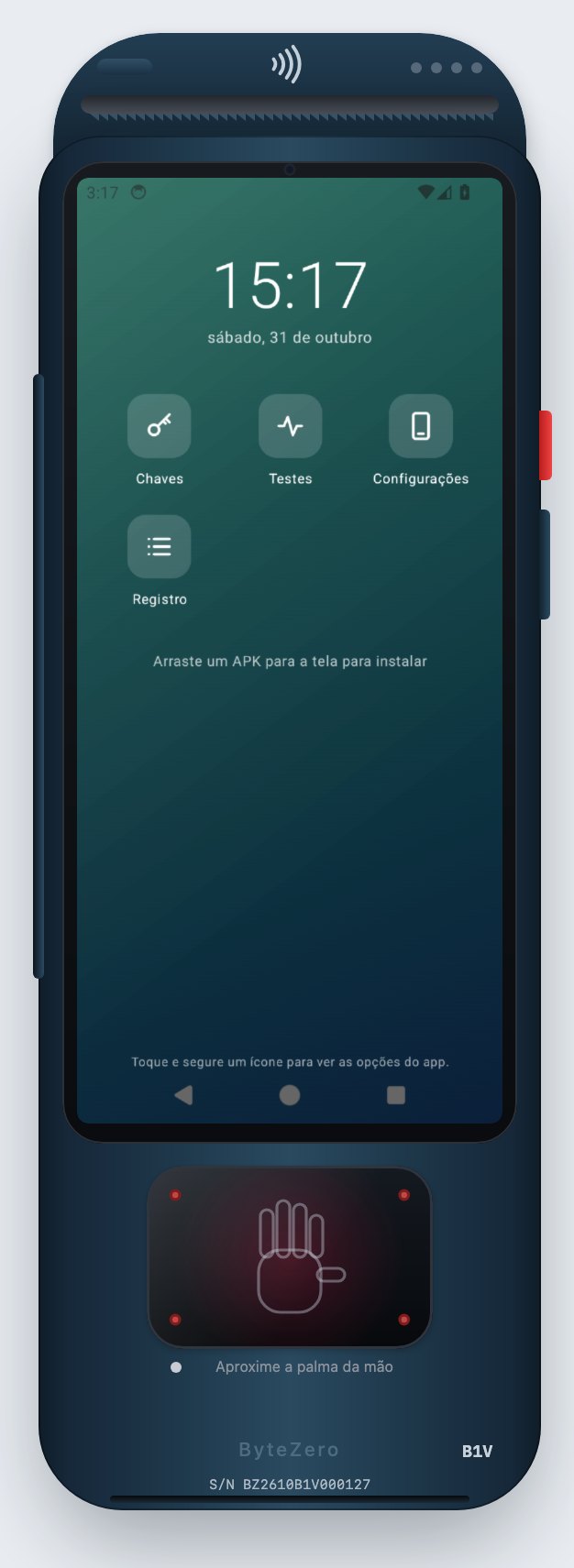
B1V
With printer and a palm reader below the screen, with infrared emitters and a status LED.
Download for your system
Portable zip: unzip and open, no installer.
Version 0.1.0
Requirements
- 8 GB of memory or more and about 4 GB of free disk space.
- Hardware virtualization: built into macOS; on Windows, turn on Windows Hypervisor Platform; on Linux, access to /dev/kvm.
- Internet on the first run. After that, Android works offline.
- Test cards and keys only. Windows and Linux on ARM are not supported.
ByteZero SDK for development
The Android library that gives your app access to the terminal's card reader, PIN pad, printer and palm reader.
Download the SDK (.aar) · 142 KBGet in Touch
Ready to revolutionize your payment system? Get in touch and discover how we can optimize your operations.